
Support
Datasheets, manuals,
and training.
Everything you need to evaluate, install, and use Rhino. Spec sheets for every device, manuals for every platform module, and short training videos for daily use.
For technical evaluation
Hardware datasheets
Full specifications for all 15 Rhino devices: access points, end devices, and sensors. One form unlocks them all.
Go to datasheets
For platform users
Platform manuals
Step-by-step guides for every platform module, from dashboard navigation to meter configuration. Free to download.
Go to manuals
Watch and learn
Training videos
Short walkthroughs of the most-used platform features. Watch them here, no sign-up needed.
Go to videos
Hardware datasheets
Every spec sheet. One form.
All 15 device datasheets are listed below. Fill in the form once and every download unlocks, on this device, for good.
Datasheets unlocked
Every download link on this page is now live. Click any datasheet to open the PDF.
Unlock all datasheets
Tell us who you are and every spec sheet on this page unlocks. No email round-trip, the links go live right here.
We use your details to follow up on your hardware evaluation. No newsletter sign-up, no spam. See our Privacy Policy.
.png)
Access Points
3 datasheets · Gateways that connect end devices to the Rhino cloud
Rhino AP ETH
Rhino AP GSM EU
Rhino AP GSM US
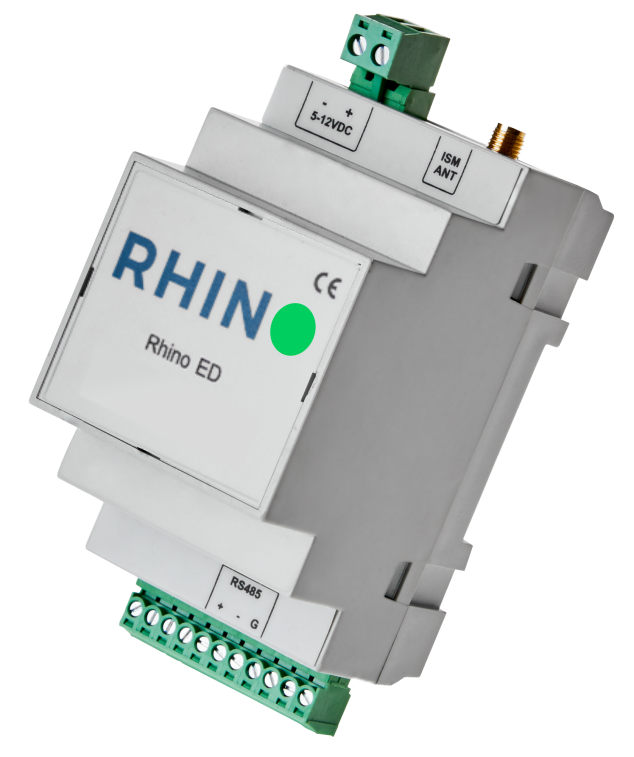
End Devices
9 datasheets · Meter readers for every interface and meter type
Rhino ED DI EU
Rhino ED DI US
Rhino ED DI-D
Rhino ED RS232
Rhino ED RS485 EU
Rhino ED RS485 US
Rhino P1 RS232
Rhino WMBus
Rhino WMBus Repeater
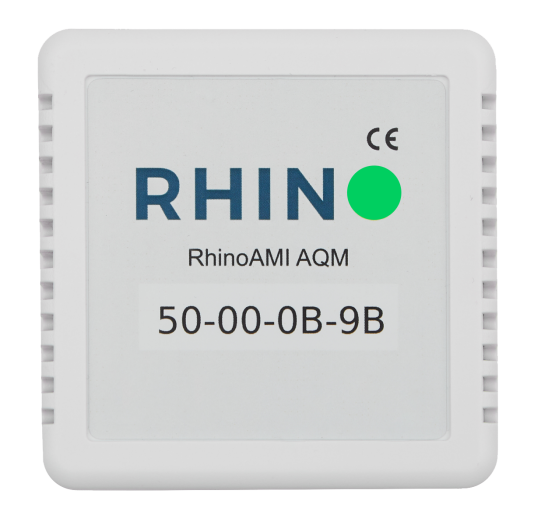
Sensors
3 datasheets · Air quality, temperature, and humidity
Rhino AQM
Rhino PT100
Rhino TH
Not sure which device fits your meters? The hardware page walks through the full lineup, or ask the team directly.
Platform manuals
Module guides, free to download.
Already working with Rhino? These manuals cover every platform module step by step. No form, direct downloads.
Dashboard App Access & Navigation
Download PDF
Consumption Chart Analysis & Reporting
Download PDF
Consumption Profile Chart Analysis & Reporting
Download PDF
Consumption Map Analysis & Reporting
Download PDF
Reports Analysis & Reporting
Download PDF
Utility Costs Analysis & Reporting
Download PDF
Utility Meters Configuration
Download PDF
Training videos
Watch how it works, in minutes.
Short walkthroughs of the platform features your team uses every day. More videos land on our YouTube channel regularly.
Consumption Chart Measurement
Read consumption data the right way: select measurements, set time windows, and spot anomalies in the consumption chart.
Favorite Meter Consumption
Track the meters that matter most: visualize usage trends for your favorite meters in one view.
Favorite Meter Create
Set up favorite meters in a few clicks and organize your dashboard for faster access to critical data.
Favorite Meter Profile
Manage favorite meter profiles: select and customize preferred meters so your team sees the data that matters first.
Stuck on something the manuals and videos don't cover? Our support team responds within one business day.
Contact support at ticket@rhino.energyLooking for what Rhino reads on a specific meter? The compatibility checker answers per model, without a ticket.
Specs checked. Ready to see it live?
The datasheets tell you what the hardware can do. A demo shows you what your portfolio data looks like once it's flowing. Tell us about your buildings and we'll set it up.
Further reading
From the Rhino blog.

